
Did you know Lichess can do this?! Puzzles' secret level
... not only what you see in the main menu
Intro
Lichess is a great platform for playing chess, but it has so many features to help you become better at it, too. One of them is Puzzles, which are essential to improve in chess. However, there are some "hidden" areas related to puzzles that you might not be aware of, which are not accessible directly from the main menu.
In this post, I will explain what the different puzzle features do and how to use them for your benefit.
The main menu
As you open Lichess and mouse over the Puzzles section in the main menu you get this: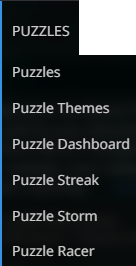
The main feature will always be solving puzzles, yet there are four different ways of doing it: Puzzles, Streak, Storm and Racer. There is a really comprehensive list of Puzzle Themes, as well as a Dashboard. It is these two last entries that get you to the more obscure features, but that are also some of the most important.
Doing puzzles
But first let's review the principal functionality: doing the puzzles. I will not go into the Streak, Storm and Racer ones. Mainly because I never use them, but also because they bring nothing new to the puzzles themselves, they just present different mechanics of motivation: improving accuracy, time management and competitiveness. Feel free to leave comments in which you explain what's good about them, though!
The main Puzzles feature is what's left. When you click on it, you get a position from which you need to make the best moves. These are not some convoluted scenarios imagined by chess professionals, but actual Lichess games! It usually doesn't feel like that because in each of these positions the player made a mistake, which means you have to be better than them and find the correct continuation, so it sometimes feels like the puzzle is trying to trick you.
In this puzzle mode you need to take your time and think. There is no time pressure here, just focus on the position and try to visualize all of the variations. I can't stress enough how important that is for the quality of your chess. It doesn't matter if you do 1000 puzzles, it matters if you fully understand the ones you complete. Personally I feel that this is the area that holds me down the most. If I were to really commit to chess learning, getting into this puzzle solving mindset would be essential for me. I repeat myself: it's not the quantity of puzzles as much as the quality of the thought process in solving them.
Also, if you are on Lichess website using a mobile device, not with the app, puzzles might be an annoyance because the screen keeps dimming while you are trying to think about the solution. Disable that or use a laptop or something because you certainly don't need that artificial pressure to achieve something in less than two minutes or something similar.
Let's look at a typical puzzle screen: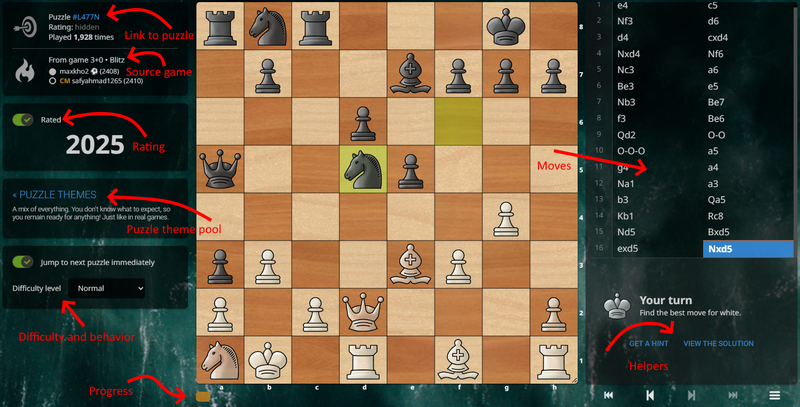
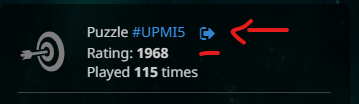
There is a puzzle link that you can use to bookmark the puzzles you enjoyed more, as well as the source game for the puzzle. Note that even if you "Jump immediately" you still have links to the previously completely puzzles in the Progress chips under the board. So if you want to understand one of the puzzles or bookmark them or whatever, don't hesitate to go back. A puzzle opened with a link will not affect your rating.
After the puzzle is completed, the puzzle info will also show the rating of the puzzle and the game info will have the link to the actual game.
Then there is the move list. It's not just the moves in the puzzle, but the entire game until then. You can, and should, go back and see what the players were going towards. That may help or sometimes trick you into the same mindset the original player had, so pay attention.
You can choose a difficulty and whether to jump to next puzzle on completion. Your puzzle can be contributing to your rating or not. This is important not only because some people get bogged down with how large their rating is, but as your rating changes, the difficulty of the puzzles also follows it. If you want to do only puzzles at a specific level or just relax, you can toggle rating off. I also recommend NOT jumping to next puzzle automatically. There are benefits to that which I will explain later.
There are also two helpers: Get a Hint, which will tell you which piece to move, and View the Solution, which will reveal the solution, but also fail the puzzle.
I left the themes at the end. This is the categories of puzzles that will be used to choose the puzzles from. The default is called Healthy Mix - containing a bit of everything, but NOT everything. There is a common misconception that you get a random puzzle from any category with this. Some categories are not included, like for example Equality, where you have to get an equal position from an otherwise losing one.
The link to Puzzle Themes is going to take you to the same page as the main menu entry in the beginning. However, after you complete a puzzle, you also see the themes that were attached to the puzzle, as well as have the option to vote on some other themes: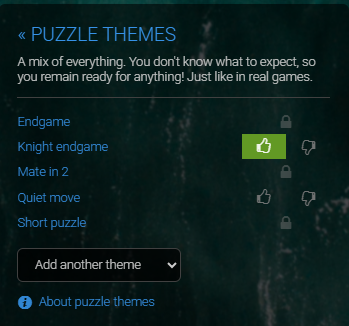
"Hey!, you will say, I started reading this post to see the obscure puzzle features that will help ME, not Lichess refine their database." I get it, but some times you need to know where you can give something back, if you ever decide to. and since we are at the subject, at the end of a puzzle you can also vote on how good it was: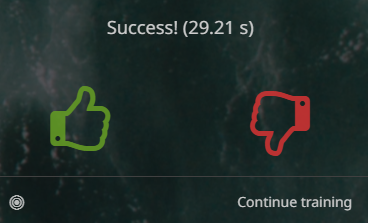
To be honest, I don't think this will ever mean anything. Most people, I feel, will just press the thumb down in frustration if they failed the puzzle. But it's there. Also, you can choose to Practice with the computer from the puzzle start, giving you a more hands-on experience of the position. Click Continue training to just proceed to the next puzzle.
Puzzle Themes
We keep circling around the puzzle themes. Some of them are more of a gimmick, but the more extensive ones actually indicate the areas where you can (and should) improve. The themes are split into categories:
- Phases - opening, middlegame, different types of endgames
- Openings - starting from specific openings
- Motifs - like Pin, or Sacrifice - there are a lot of those
- Advanced - Clearance, Zugzwang and so on
- Mates - different move counts to get a mate
- Mate themes - Back rank, Anastasia and so on. A lot of those and more coming thanks to @dirkster99 :D
- Special moves - like En passant
- Goals - Equality, Advantage, Crushing and Checkmate
- Lengths - One-move, Short, Long and Very long puzzles
- Origin - Masters, Titled players, Super GMs and Player games
OK, time for useful hidden feature number 1: Player games - Lookup puzzles generated from your games, or from another player's games! Did you know you could find the puzzles that were generated from your own games? Or from the games of a friend or even opponent? This should have been names "Learn from ALL of your BIGGEST mistakes". No presh!
These themes are important for multiple reasons. One, you can practice a specific subset of puzzles, which coupled with ... other information, it helps you improve exactly where you need it more. Second, once you are in the Puzzle Theme page, you have access to the left side puzzle menu!
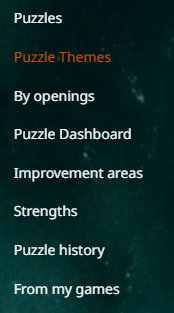 You already know Puzzles, Themes, Dashboard - which will be discussed shortly - and can guess what By openings is. From my games is the same as Player games for your username. However there are some links to pages that I am pretty sure most people don't even know exist. Time for more useful hidden features!
Improvement Areas and Strengths
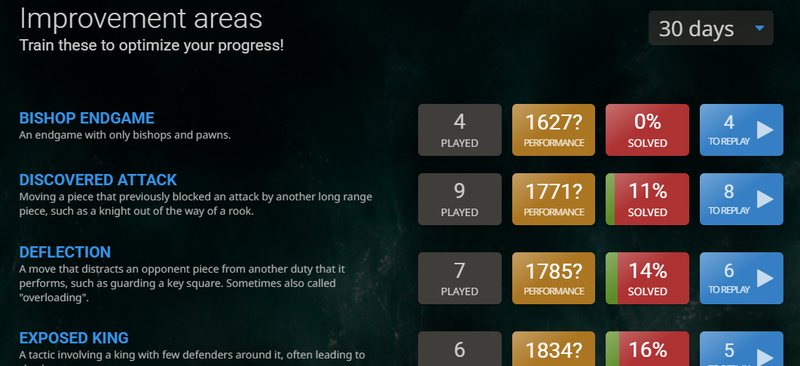
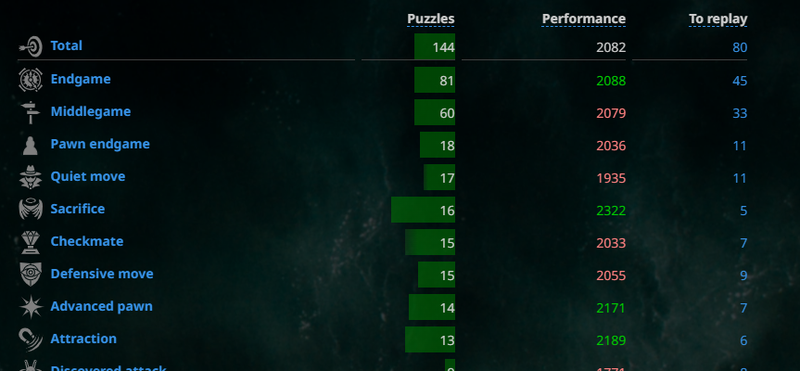
The Improvement Areas page shows you which puzzle themes you performed worst at! Here you can choose to play puzzles from these categories in particular or even just replay the puzzles you failed only (the blue To replay buttons).
You can also select the interval of time from which to extract the statistics.
Strengths is the same page, but showing the themes you did best at.
Puzzle History
And if you need something more granular, you have a Puzzle history with all of the puzzles you finished lately. You can see which ones you passed, failed and replay them as much as you like. The puzzles appear as boards, so you can find them visually: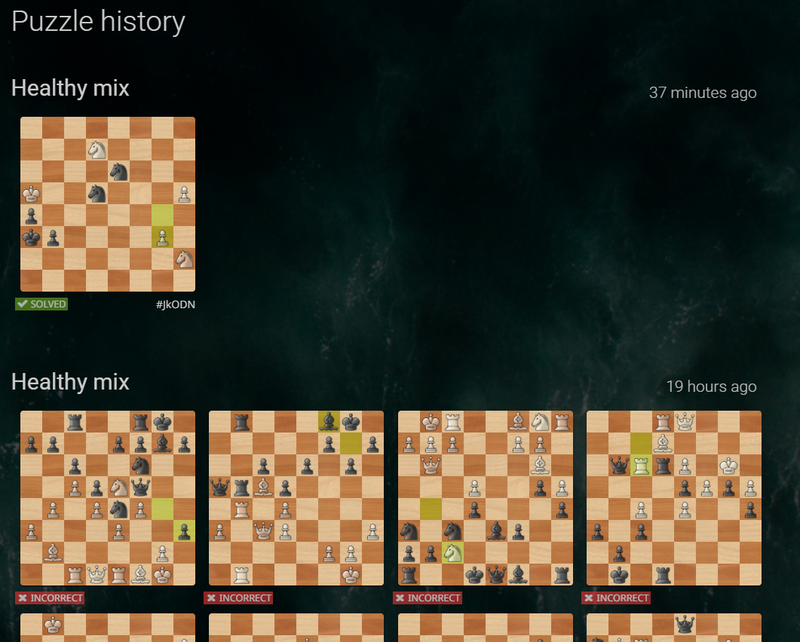
Puzzle Dashboard
Last, but not least, the Dashboard!
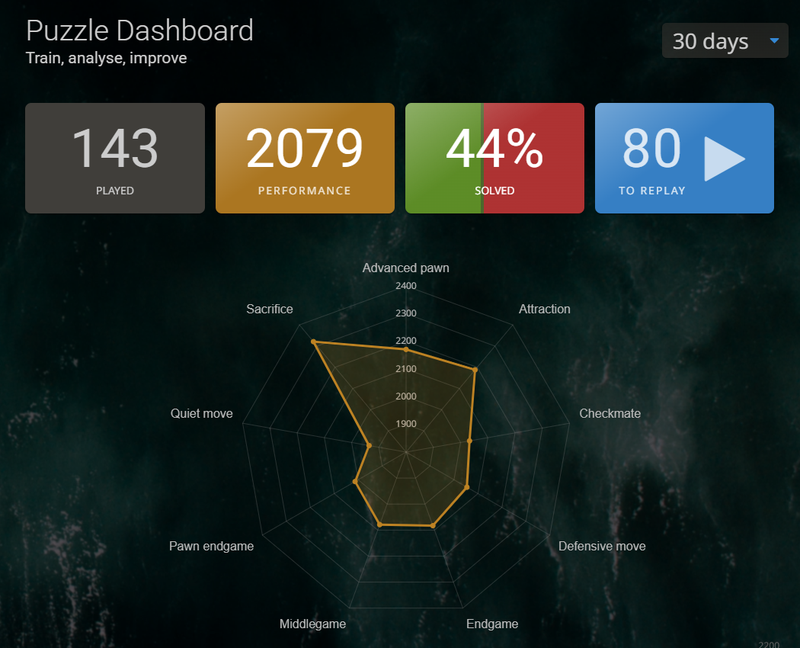
A one stop place to see your performance, replay failed puzzles and see what kind of chess intuition you have in one nice radar chart.
Conclusion
Puzzles are a mighty tool of chess improvement, but with the extra Lichess features one can focus on exactly the best areas to tackle. You can choose your poison: train the hard stuff, leading to better chess, train the easy stuff, just to have fun, play rated or unrated, focus on specific openings or check how your own games have improved chess theory. Because, yes, the puzzles from your games are also played by other people. You thought all of your mistakes were crushing your soul when in fact you were helping millions of chess players learn what not to do!
OK, I was a bit sarcastic (and self ironic, I guess) there. All in good fun.
I thought that I would have no material for this post, but as I delved deeper, I actually had to remove stuff to make it manageable. Did you know about all these features or did you find some useful tools to add to your arsenal while reading this?
Oh... and speaking of Tools... heh heh heh
LiChess Tools blurb
Sorry, has to be done. Because the browser extension I develop, LiChess Tools, also has extra puzzle features. So here is a short list:
- after you complete a puzzle, you can download a puzzle as a PGN starting with the puzzle position
- the Dashboard is enhanced with:
- a chart of your puzzle evolution
- the rating gain or loss in the last 7 days
- a COMPLETE list of themes for the puzzles in the chosen interval as a sortable table
- a different puzzle history that shows the puzzles you started on the current device. This includes the ones you started but never finished!
- the extension also finds the position you are currently analyzing in the puzzles from your own games, as well as from all of the puzzles, if you download a special file and set it up in LiChess Tools.
The series
For a long time I was wondering why so few people on Lichess discuss the really cool features, like Explorer, Studies, Puzzles, Interactive Lessons, Tournaments, Chess classes and so many other things. I just recently realized that a lot of people just don't know about these at all. They just click on a lobby time control category and play, then play again, then leave.
I hope that I will do justice to this wonderful platform and explain some of these tools in a series of posts so you can use them for yourself. And I know people who did not know what Explorer was probably won't read my blogs, but on the off chance that they - that you - do, I hope they take some time to look deeper. This is a great place to be in!
You may also like
 Lichess
Should I report this?
Ever encountered a user misbehaving on Lichess? Check out if and how to report them. thibault
How I started building Lichess
I get this question sometimes. How did you decide to make a chess server? The truth is, I didn't. CM HGabor
How titled players lie to you
This post is a word of warning for the average club player. As the chess world is becoming increasin… TotalNoob69
The world didn't end
... yet Kevin_M06
Deep Analysis of Lichess Puzzles
Ahh... Lichess puzzles. Don't we love them? ChessMonitor_Stats