
Did you know Lichess can do this?! Opening Explorer and Tablebase
... do click on that little book button
Intro
Lichess is a great platform for playing chess, but it has so many features to help you become better at it, too. One of them is the Opening Explorer, a name which might imply it's used for boring opening theory, but it's anything but that. In this short post I will let you know what you can do with it that will immediately elevate your chess.
Start exploring
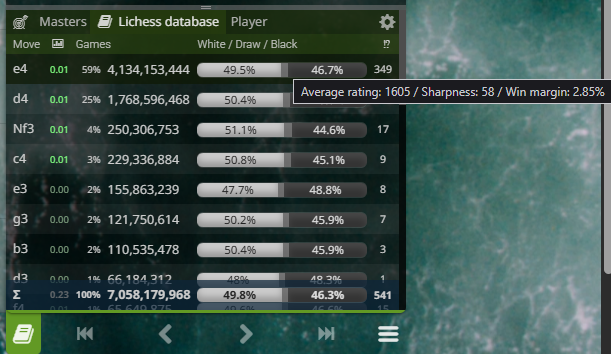
The Explorer is available in any analysis context: game analysis, Analysis board, Studies, even Broadcasts. To open the Explorer you need to click on the little book icon under the move list: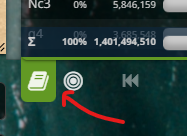 You can also use the key shortcut E. Once you open it, it shows you the moves people have played from the current board position, what's percentage of people played each move and in how many games, the distribution of wins and draws for black and white as well as the average rating of the move, if you mouse over the wins/draws/losses bar:
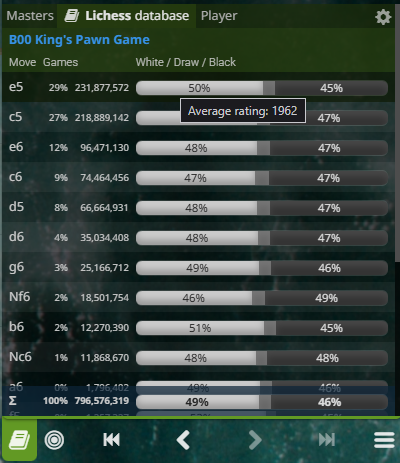 It also shows you the name of the opening as a clickable link that takes you to the Openings feature for that specific move order. At the bottom, you get the summary of the entire thing.
There is more! If you scroll down you will see a selection of recent and high rated games in that same position: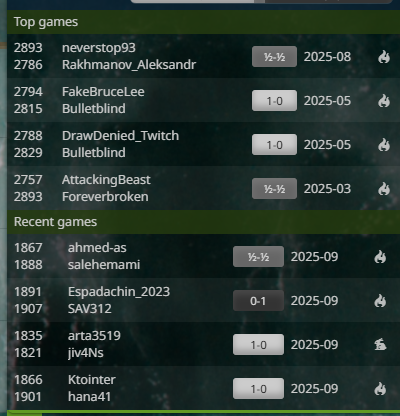
You can open those games or, in a study setting that you are creating, you can cite or add their moves to your study chapter. Studies are something a bit more complex, though, and not subject of this post.
Four different views
As you may have noticed, there are three tabs at the top of the Explorer: Masters, Lichess and Player. They change the source of the data used in the move table.

The “Masters” database is a collection of OTB (over-the-board) games by players with FIDE rating 2200+ and it spans games from about 1952 up to recently. It is the perfect way to see what the professional chess community is up to in certain lines. You can find really high stakes games from your current position and analyze them to see what super grandmasters thought of in the same position
Then there is the "Lichess" database, which comprises all the reasonable quality games ever played on Lichess! You can test your ideas against the responses of millions of players. If you consider the entire database of games, there are over 7 billion (with a B) games you can draw inspiration from. That is an incredible resource when you are trying to find plans against people. A chess engine like Stockfish cannot give you that, it cannot simulate human opponents for you.
And last, but certainly not least, is the "Player" tab. There you can select a specific Lichess username for either Black or White and see what they played in that position. This is where you prepare against someone when you know you are going to play them, or prepare "with" someone, if you like their style. You want to play like Eric Rosen? See what he did in that position and try to figure out why.
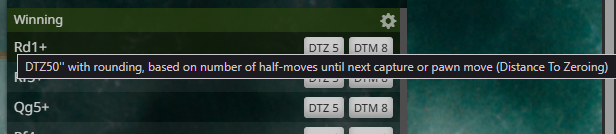
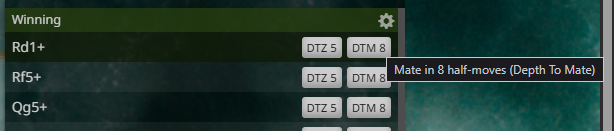
Bonus, if you are studying end games - which you totally should - the Explorer also provides you with a tablebase of ending positions that tell you if they are winning, drawing. This is a mostly unknown feature of Lichess, even for more seasoned users.
The filters
If this is where it all stopped, Explorer would still be a fantastic resource, but it would have some major flaws. Chess ideas come and go in cycles, openings gain and lose popularity. If you would prepare based on what people played since 2010, the year in which Lichess came online, you would not get a lot of benefit.
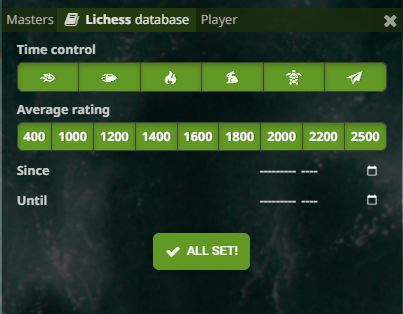
That's why each tab has their own filters for:
- time control
- average rating
- time interval in which games were played
- player name and casual/rated for the Player tab
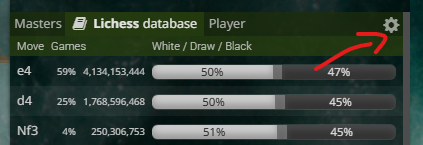
You configure those filters by clicking on the little cog button in the top-right of the Explorer:
This means, as an example, you can use the Explorer to check what people rated 2000 or more have been playing two months ago in games faster than blitz !
Conclusion
The Opening Explorer is one of the most powerful statistical tools Lichess makes available. It is huge, it is fast, it is flexible. It can be used to find high quality games, test lines against the entire Internet or just a filtered part of it, and even prepare against specific opponents. It is an indispensable tool in getting better at chess, whether your goals are simply to have fun and increase a modest amount of rating points or you want to become very good at the game and even as a professional titled player and/or chess coach.
Even more stuff!?
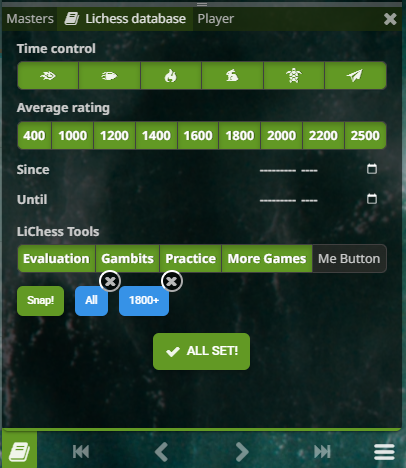
The post would not be complete without a blurb about my own browser extension, LiChess Tools. It adds so much cool stuff to Explorer, but I'm going to keep it short:
- Explorer Evaluation - shows the cloud evaluations of moves directly in the explorer, from both the Lichess database and the Chessdb one, thus giving you instant at depth chess engine evaluation without having to run the local engine. If you do run the local engine, that will also be reflected in Explorer.
- Explorer Practice - lets you "play" against the moves in the Explorer, thus refining your lines against real player data (see that little arrow target button on the left of the Explorer tabs)
- Explorer Gambits - shows the moves that lead to gambits from the current position - not only the classical ones, but even the weird gambits that people on the Internet invent
- Explorer resize bar - choose your preferred vertical size for the Explorer
- Snaps! - preconfigured sets of filters you can switch just by clicking on the Lichess games tab (switch from All to 1800+ blitz+ or 2000+ only rapid, etc)
- A lot more info everywhere
The series
For a long time I was wondering why so few people on Lichess discuss the really cool features, like Explorer, Studies, Puzzles, Interactive Lessons, Tournaments, Chess classes and so many other things. I just recently realized that a lot of people just don't know about these at all. They just click on a lobby time control category and play, then play again, then leave.
I hope that I will do justice to this wonderful platform and explain some of these tools in a series of posts so you can use them for yourself. And I know people who did not know what Explorer was probably won't read my blogs, but on the off chance that they - that you - do, I hope they take some time to look deeper. This is a great place to be in!
You may also like
 TotalNoob69
The world didn't end
... yet IM theScot
The Deepest Moves of All Time
A post about moves that perplex, amaze, and blow our minds ChessMonitor_Stats
Where do Grandmasters play Chess? - Lichess vs. Chess.com
This is the first large-scale analysis of Grandmaster activity across Chess.com and Lichess from 200… thibault
How I started building Lichess
I get this question sometimes. How did you decide to make a chess server? The truth is, I didn't. CM HGabor
How titled players lie to you
This post is a word of warning for the average club player. As the chess world is becoming increasin… IM Fins